
Relationships and Entities
The depth of a narrative universe lies in the bonds that connect its elements. LoneWriter allows modeling these connections granularly, transforming a list of notes into a living ecosystem.
Entity Types
As mentioned in the Compendium guide, there are four fundamental categories: Characters, Locations, Objects, and Lore. Each has specific fields that the author can complete manually or through artificial intelligence assistance.
Defining Relationships
A relationship is a semantic link between two entities. LoneWriter allows defining the nature of these links so that The Oracle and The Nexus can interpret them correctly.
Management and Bidirectionality
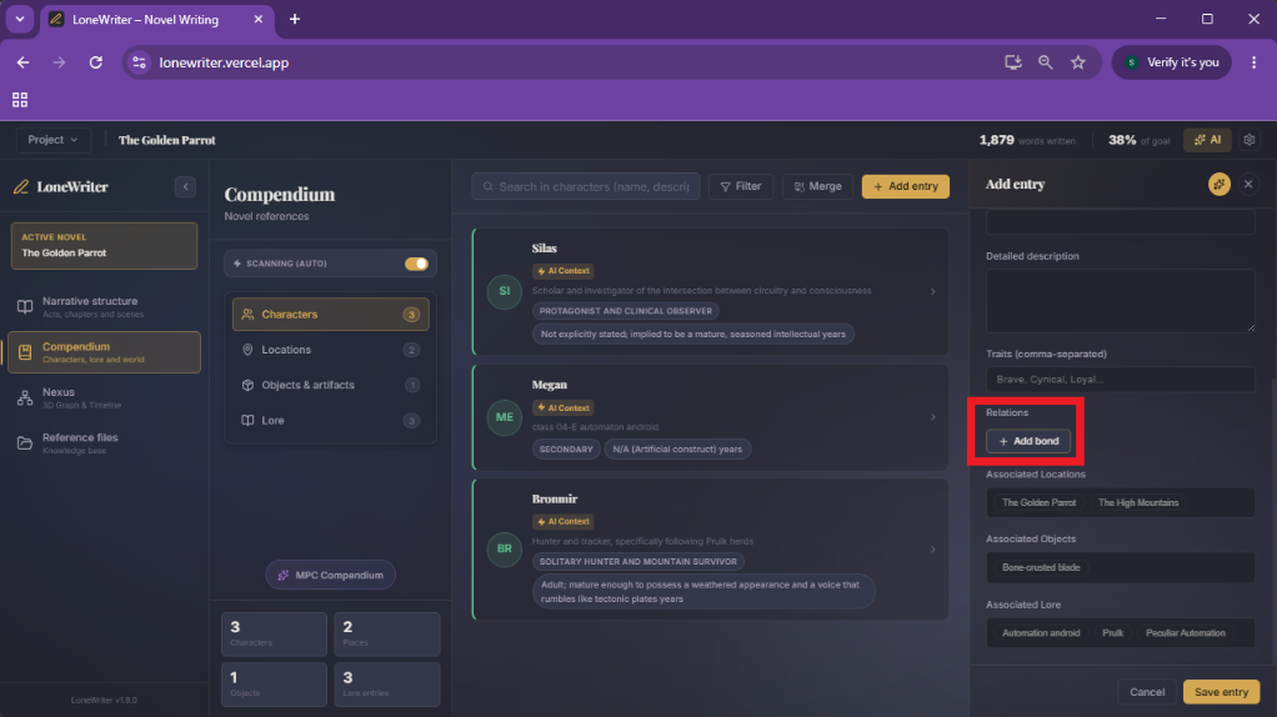
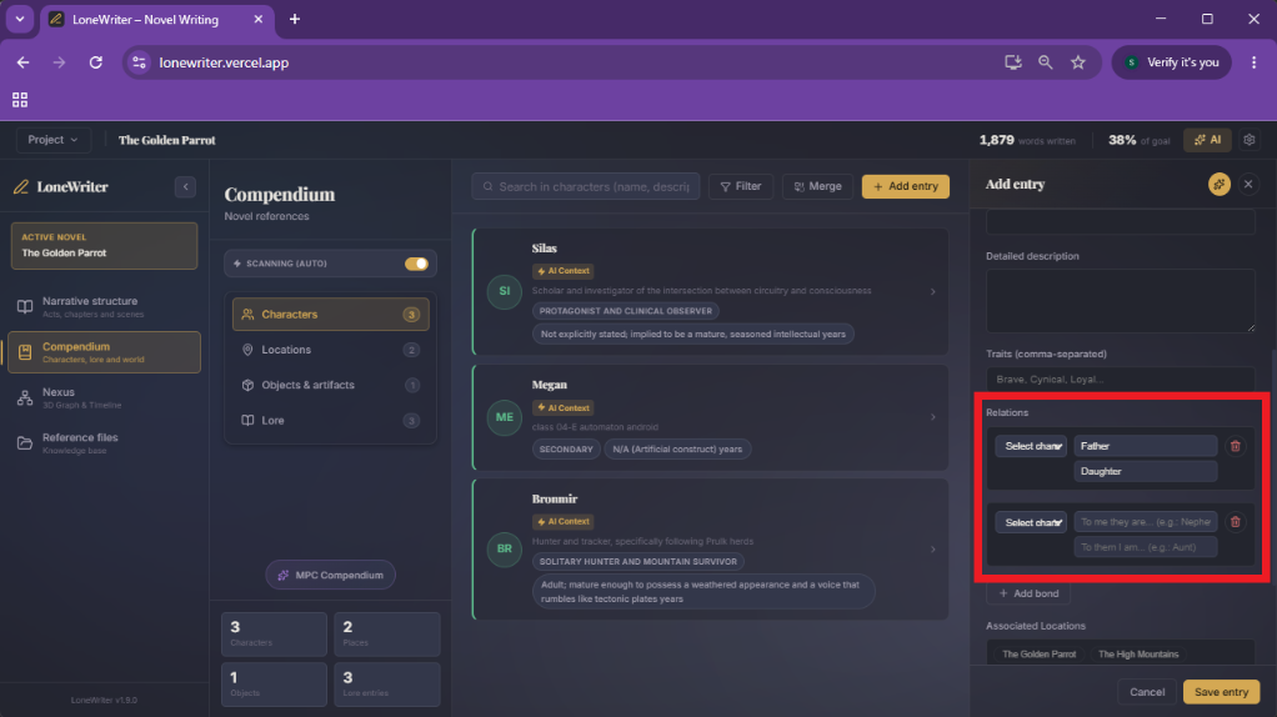
Relationships are managed directly from the Relationships button on any entity's file. It is important to note that the system is bidirectional: when you define a link in one entity (e.g., "Dorian is Father of Lyra"), LoneWriter will automatically reflect the inverse relationship in the other entity (e.g., "Lyra is Daughter of Dorian").
How to Establish a Connection (Between Characters)
- Access an entity's entry in the Compendium.
- Click the Relationships button.
- Select the target entity using the search bar.
- Define the Link Type:
- Hierarchical: "Subordinate of," "Parent of," "Part of."
- Geographical: "Located in," "Origin of."
- Emotional: "Ally of," "Enemy of," "In love with."
- Ownership: "Owner of," "Relic of."
Cross-linking (Total Ecosystem)
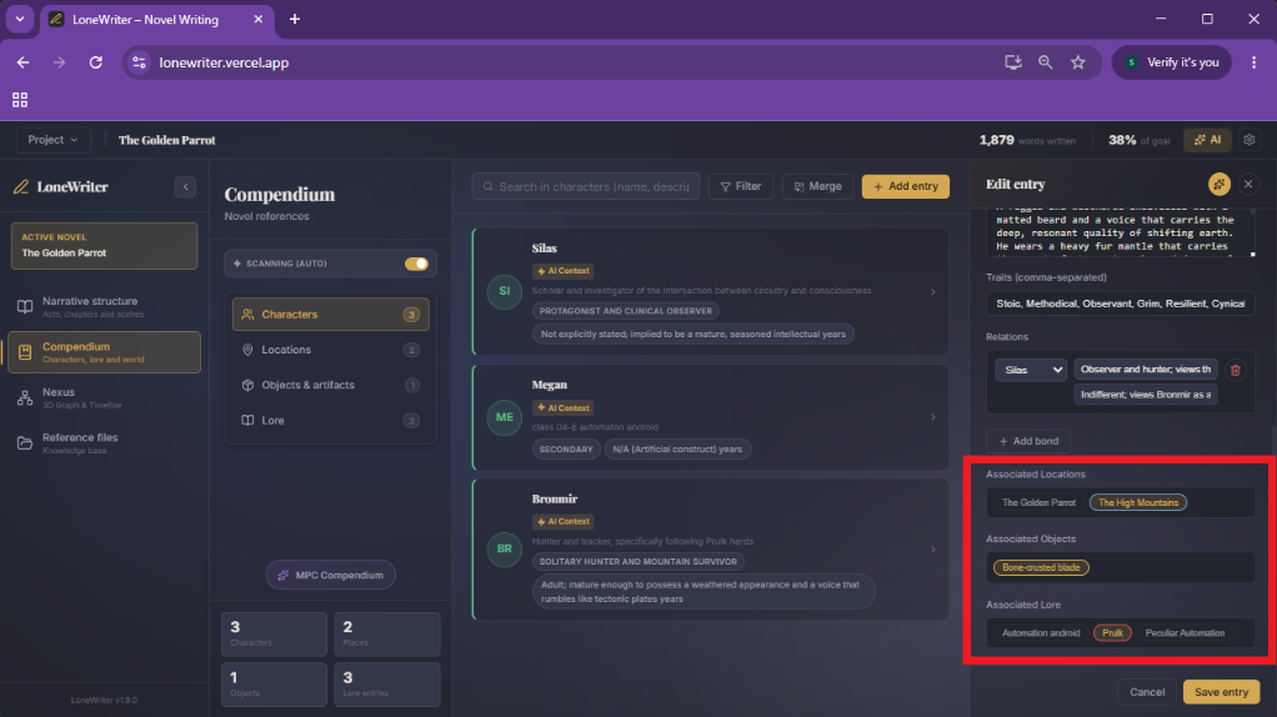
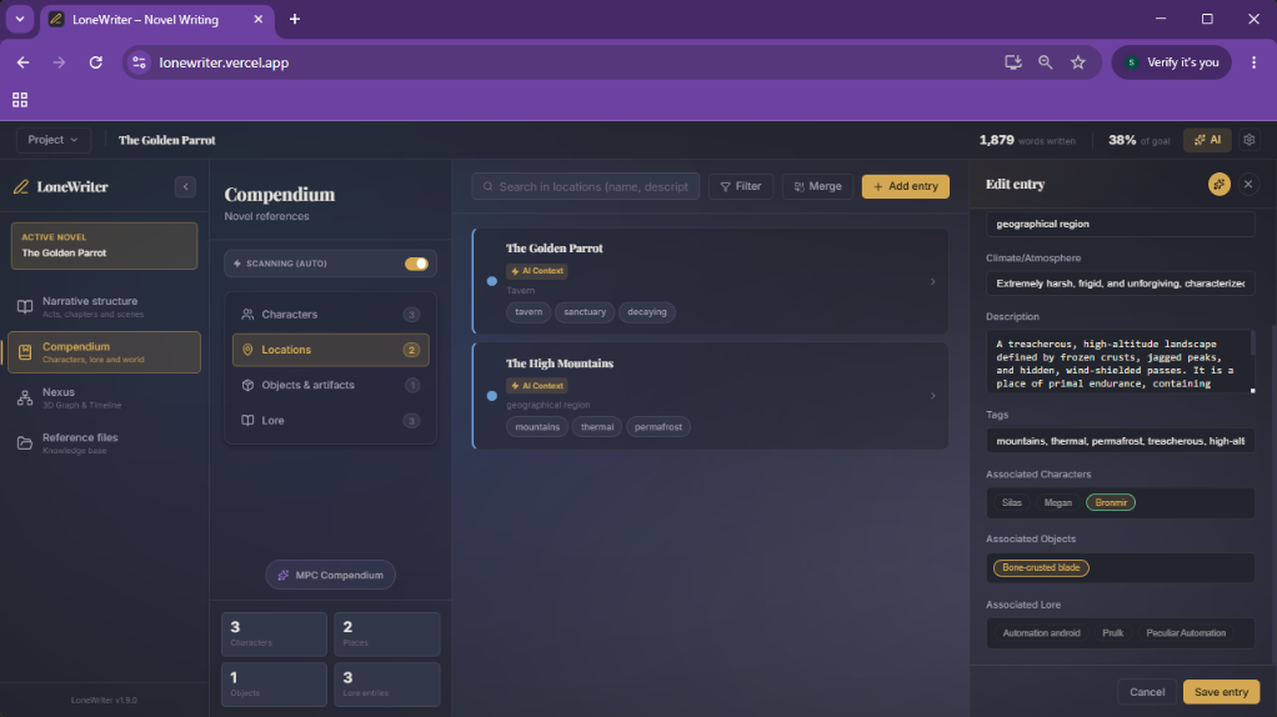
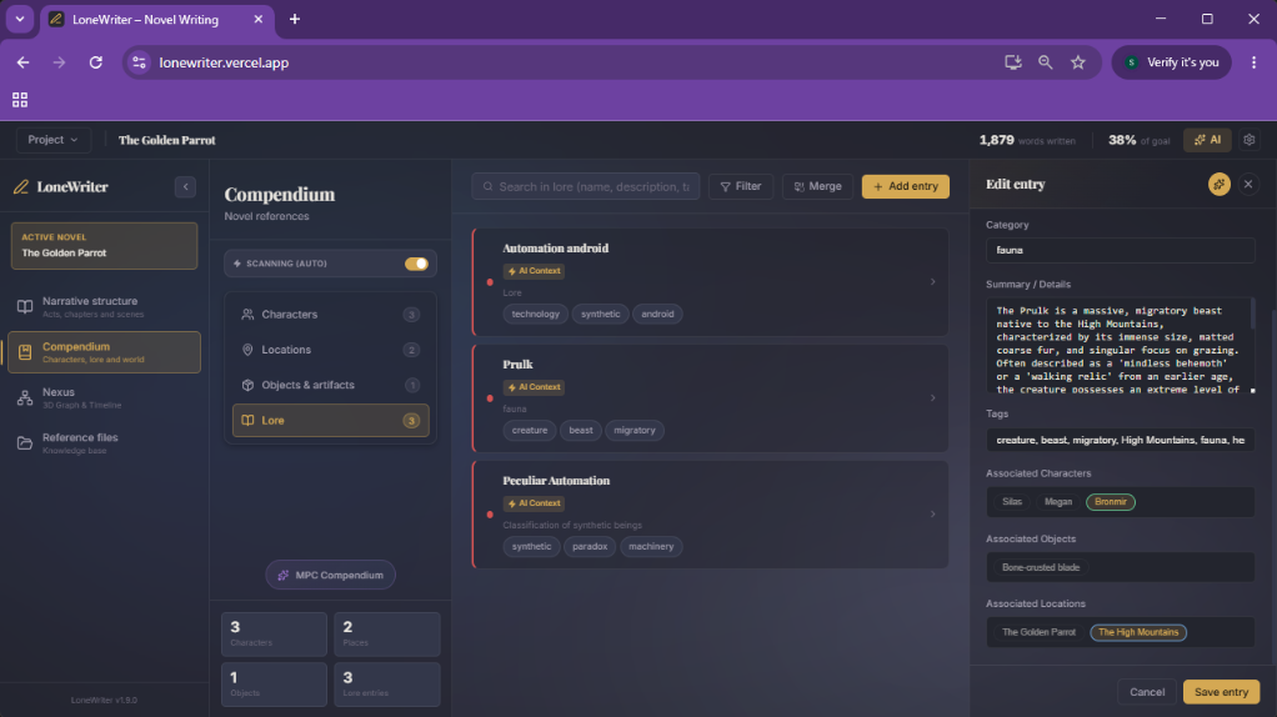
LoneWriter does not limit links to characters. All entities have cross-linking capabilities, allowing you to connect any category to each other:
- Character ↔ Location: A protagonist linked to their hometown.
- Location ↔ Lore: A region associated with a specific legend or fauna.
- Object ↔ Character: A legendary sword linked to its current bearer.
For example, a Lore entry about an animal species can be simultaneously linked to a Location (its habitat), a Character (its tamer), and an Object (the tool made from its hides).
Impact on the Nexus
Every relationship created generates a connection line in The Nexus (3D Graph). The strength or type of relationship is visualized through different colors and thicknesses, allowing you to identify at a glance:
- Characters with the most influence on the plot (larger nodes).
- Groups or factions (clusters of nodes connected to each other).
- Travel routes or geographical belonging.
Using Tags
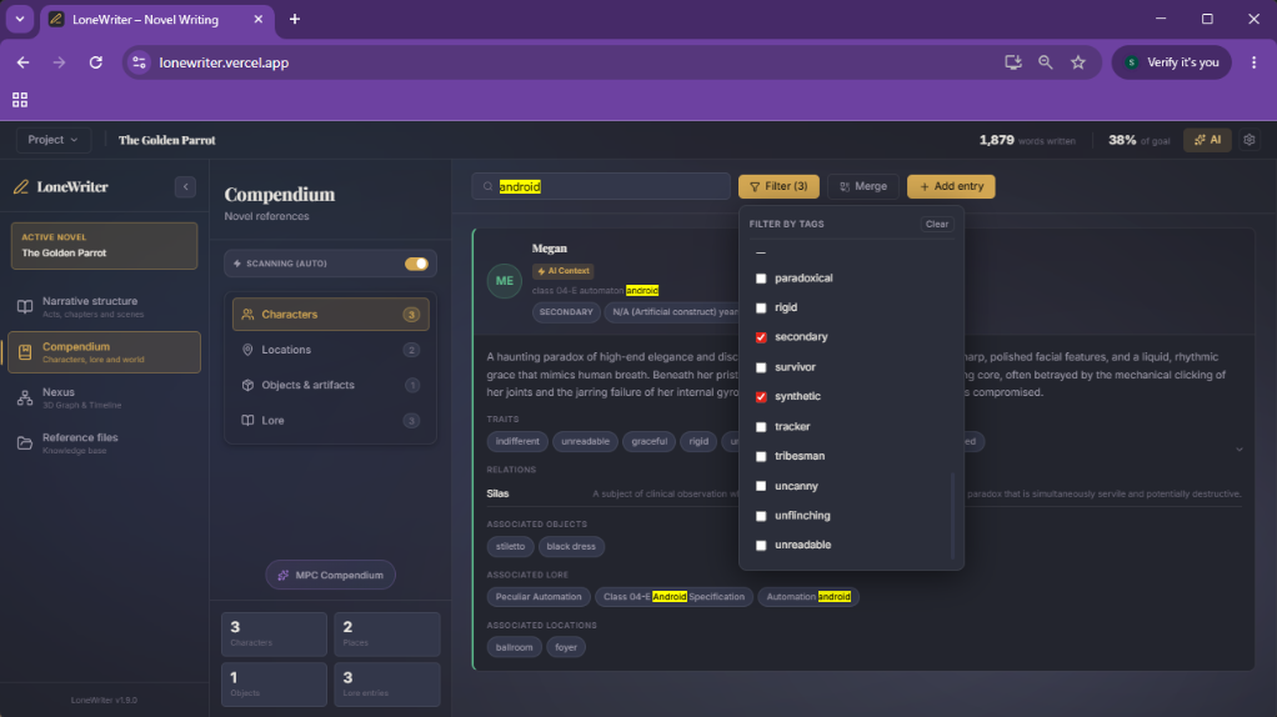
In addition to direct relationships, you can use tags to group entities under cross-cutting concepts (example: "Nobility," "Dark Magic," "Resistance"). This facilitates filtering in the Compendium and allows the Oracle to perform more precise thematic searches.
Automation with the MPC
Remember that the Proposal Monitor (MPC) is capable of suggesting new relationships upon detecting joint mentions in the text. It is always recommended to review these suggestions to enrich your world's database organically.
Next step
Consult your narrative doubts directly with The Oracle.