
The Nexus and the Timeline
LoneWriter provides advanced visualization tools to analyze your work's structure from perspectives that linear text does not allow you to appreciate.
The Nexus (Knowledge Graph)
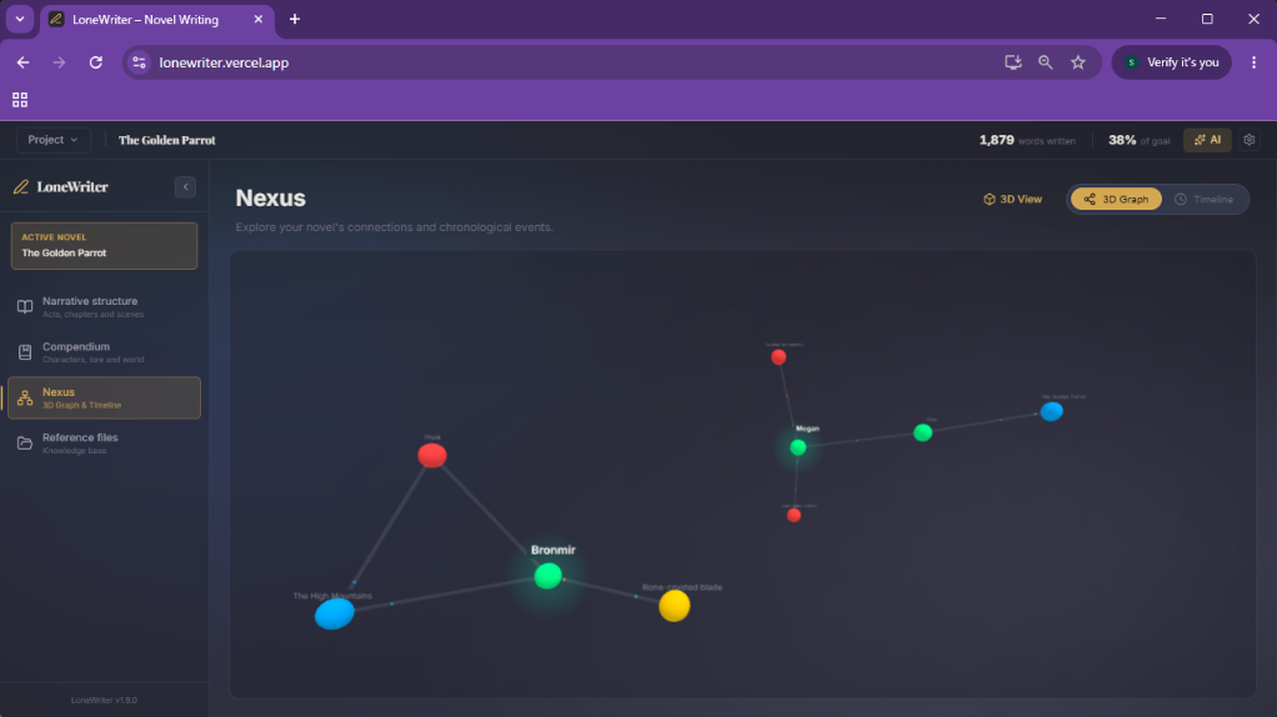
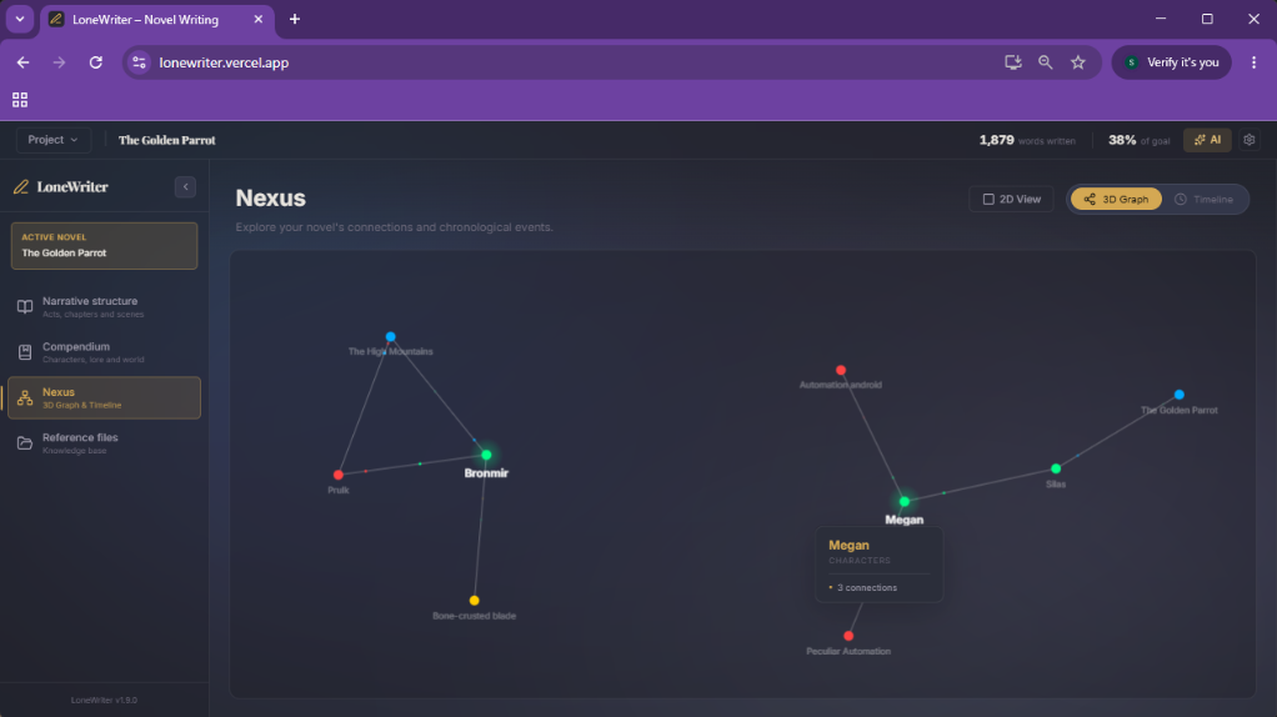
The Nexus is a three-dimensional representation of your narrative universe. Each node represents an entity from the Compendium and each line a bond between them (see the Relationships and Entities guide).
Nexus Functionalities:
- Spatial Navigation: You can rotate, zoom, and pan through the graph to explore different information clusters.
- Node Focus: By selecting an entity, the Nexus will highlight its direct connections and dim the rest, allowing you to analyze the social or geographical network of a specific character or object.
- Dual Navigation: Toggle between 3D mode for immersive exploration and 2D mode for a schematic and analytical view of connections.
- Direct Access: Double-clicking a node will automatically open its Compendium entry for editing.
The Timeline
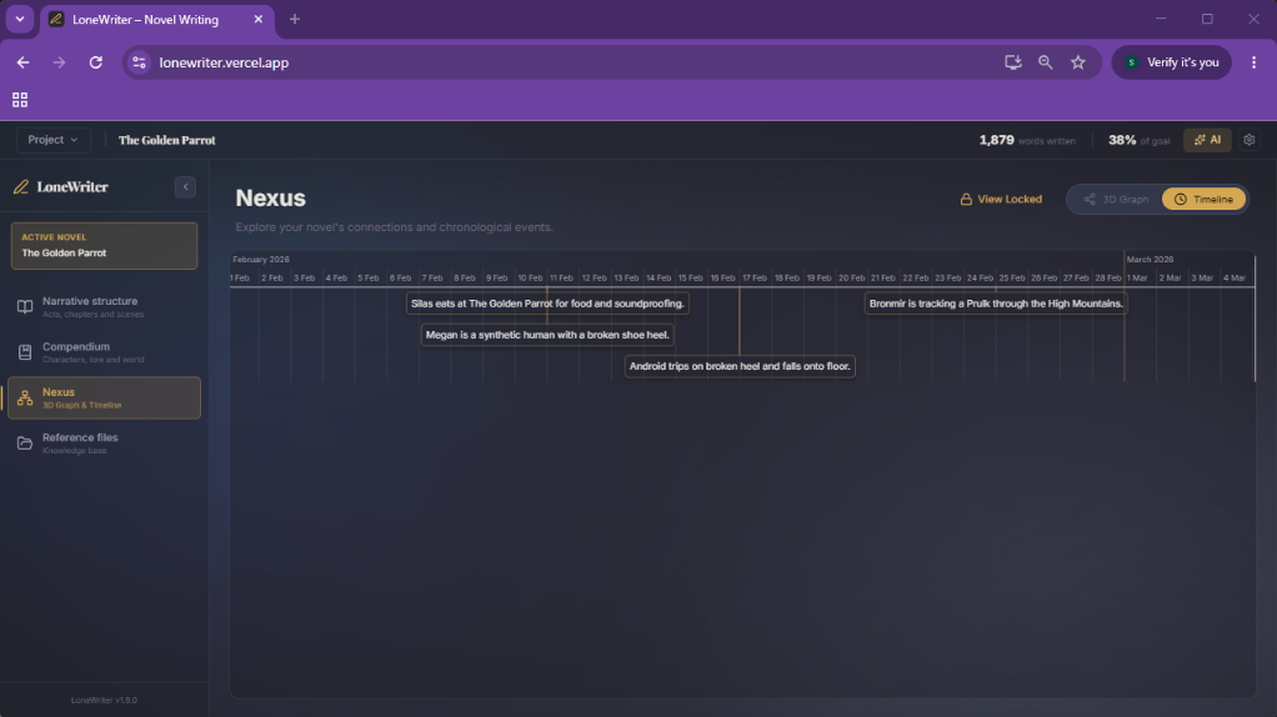
Chronological consistency is vital in any story. The LoneWriter Timeline allows organizing events sequentially.
Timeline Elements:
- Events: Narrative milestones that occur at a specific time.
- Associations: Each event can be linked to characters or locations from the Compendium.
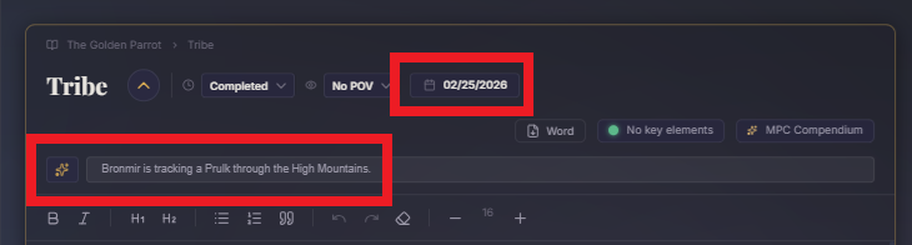
- Visualization: Allows graphically viewing the duration of story arcs and the density of events in different periods of the story. For an event to appear in the timeline, it must be reflected in the synopsis of the scene where it occurs, as well as indicate the time/date it happens.
Synchronization with the Oracle
The Oracle integrates data from the Nexus (relationships and entities) and the Manuscript context (RAG) to provide coherent answers about your universe. This allows for precise queries such as:
- "Show me the enemy network of the rebel faction."
- "How has the relationship between Dorian and Lyra evolved based on what has been written so far?"
NOTE
While the Nexus provides the logical structure of your world, the memory of events comes directly from the indexed text of the manuscript, ensuring that the Oracle is always faithful to what you have actually written.
Visualization Recommendations
- Node Density: If your universe is very extensive, use category filters or tags to simplify the Nexus view.
- Chronological Order: Ensure you assign dates or periods to your events so the Timeline faithfully reflects the plot's progression.
NOTE
These tools are not just aesthetic; they are analytical instruments that will help you detect loose narrative threads or redundancies in your story.
Next step
Ensure the coherence of your work with the Context and Continuity guide.