
Smart Rewriting
LoneWriter doesn't just save your words; it helps you sculpt them. The rewriting system acts as a professional editor available 24/7, allowing you to polish the style, adjust the tone, or transform the structure of your prose without leaving the editor.
Rewriting Modes (Quick Goals)
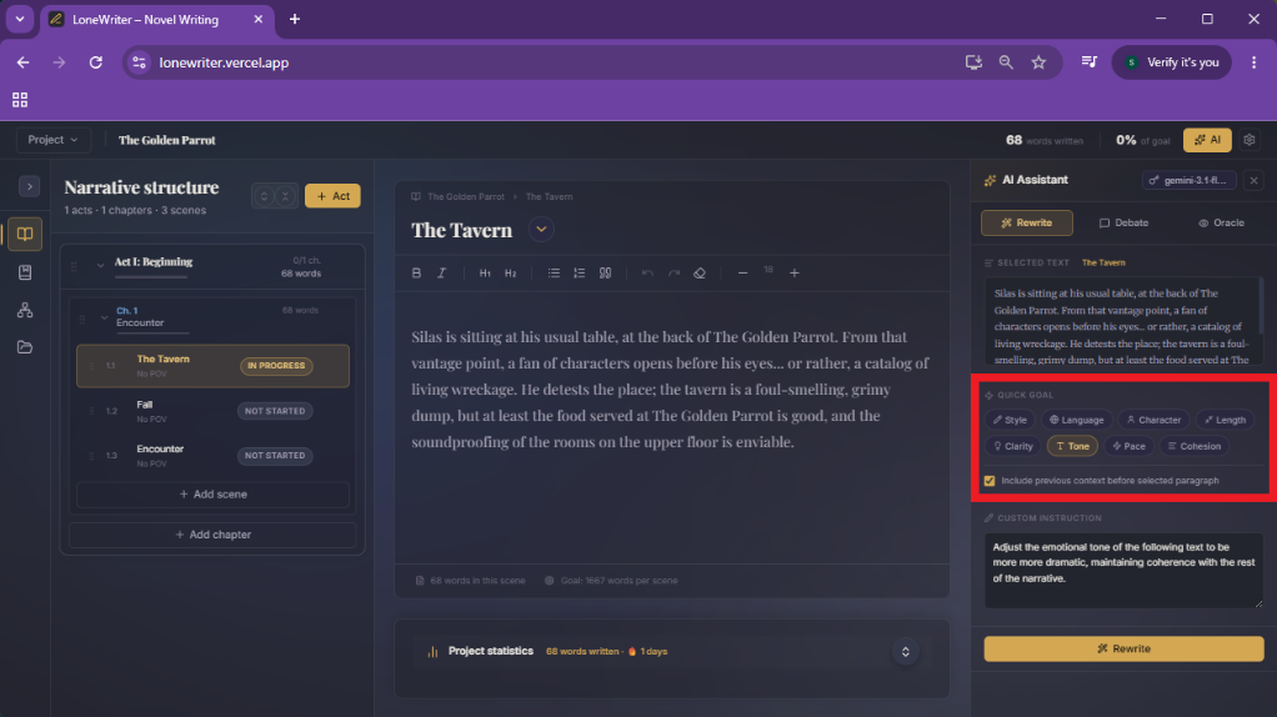
Different algorithms have been designed and optimized to solve specific challenges in literary prose. You can activate them using the Quick Goal buttons in the panel:
- Style: Elevates the literary quality of your prose, making it more suggestive and evocative without altering the original meaning.
- Language: Translates the fragment or adapts its linguistic register (e.g., from formal to colloquial) while keeping the narrative intent intact.
- Character (POV): Filters the text through a character's unique voice, reflecting their thoughts and their particular way of seeing the world.
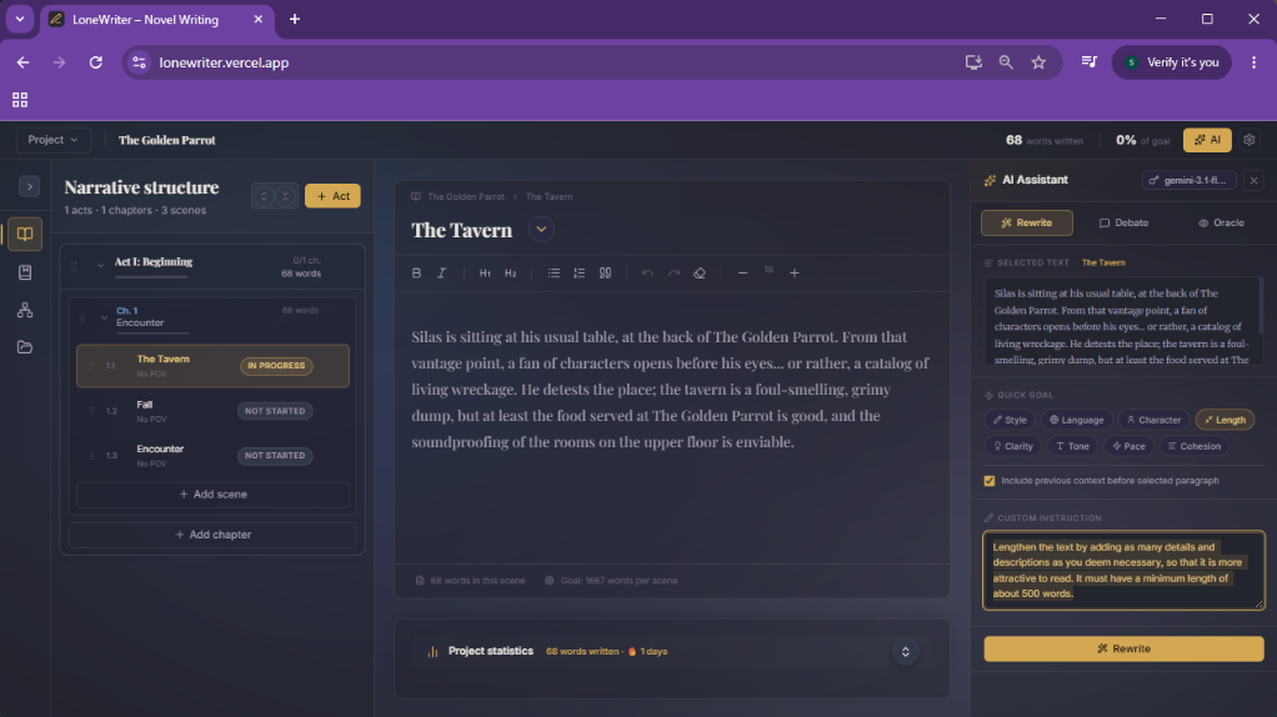
- Length: Allows expanding scenes that feel empty or cutting redundant passages to get straight to the point.
- Clarity: Simplifies excessively complex sentences and removes "noise" to improve immediate readability.
- Tone: Adjusts the scene's emotional weight (making it more melancholic, tense, sarcastic, etc.).
- Pace: Optimizes narrative cadence by alternating sentence lengths to create a more dynamic and engaging flow.
- Cohesion: Polishes the seams between sentences, ensuring natural transitions and logical fluency throughout the fragment.
Workflow
Rewriting is integrated directly into your canvas. The process is simple and intuitive:
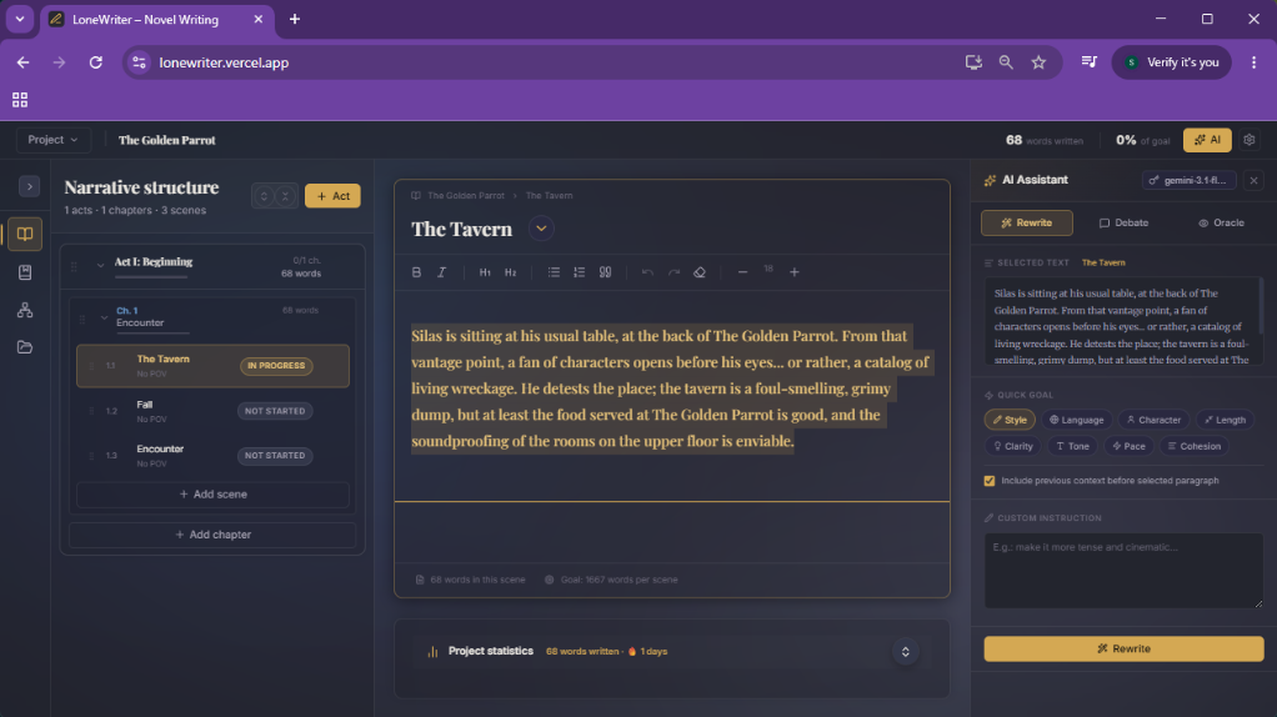
- Selection: Highlight the fragment you want to improve with your mouse.
- Activation: Click the Rewrite icon (the sparkles icon) in the smart toolbar.
- Mode Choice: Select the tool that best fits your current need (expand, polish, change tone...).
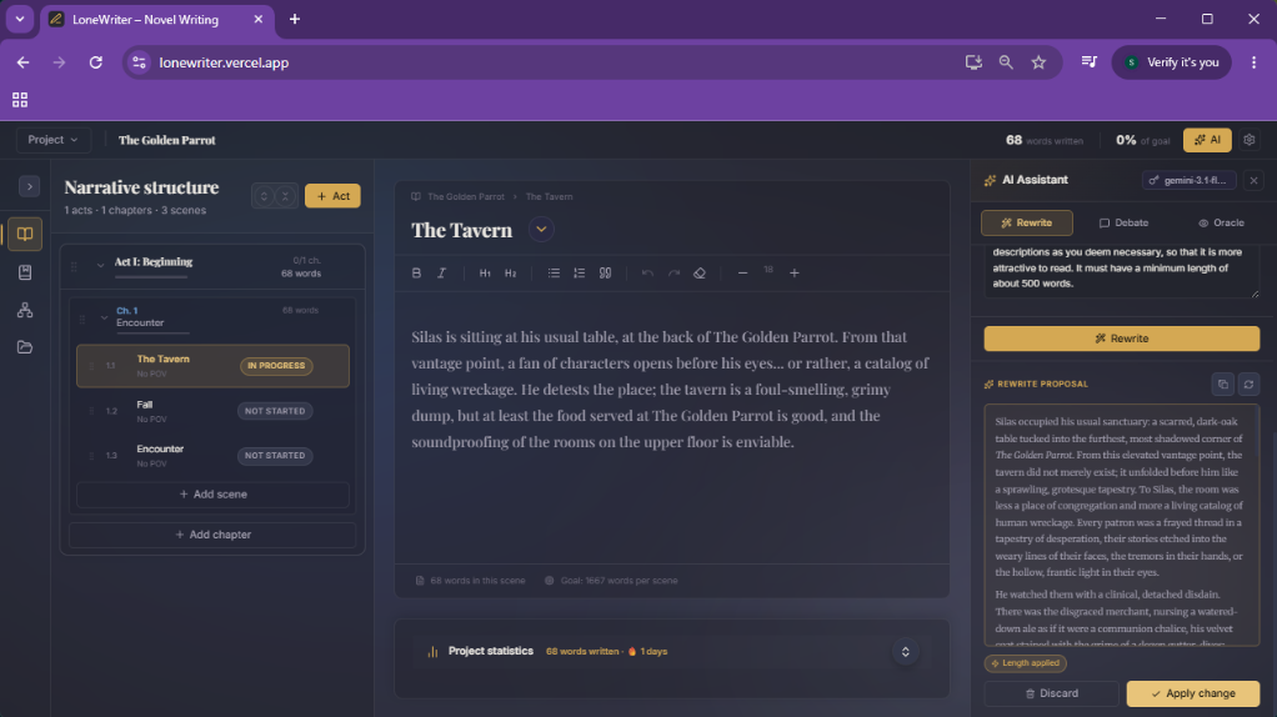
- Comparison: Review the AI proposal against your original and decide if you want to apply it.
NOTE
Generated rewrites are not deleted until a new one is generated, or you delete it manually.
Custom Instructions
Do you have a specific quirk or a very marked style? You can configure global instructions in the project settings so the AI always respects your rules. For example:
- "Never use the passive voice"
- "Review and minimize the use of adverbs ending in -ly"
- "Use 18th-century nautical vocabulary"
Control and Sovereignty
Author sovereignty is a fundamental pillar of LoneWriter. The system is designed so that you always maintain full control over your work, allowing you to audit every AI suggestion before it definitively becomes part of your manuscript.
Comparative View
LoneWriter shows you both texts side-by-side. The original doesn't disappear until you press Accept. If the AI hasn't hit the mark, press Discard, and your text will return to its initial state without changes. And remember: even after accepting a change, you can always undo it with the standard Ctrl+Z shortcut.
Model Recommendation
For these tools to shine, model choice is key:
TIP
For complex literary rewrites, use models with high nuance capacity:
- Cloud:
claude-opus-4-7(see API Keys) is currently the gold standard in prose. - Local:
qwen3.5:9b(see Local Models) offers a spectacular balance between speed and literary creativity.
Next step
Discuss your ideas with a team of experts in the Debate Forum.